
Account Closure
Account Closure and Data Retention
Last updated: 21 September 2026
Bulliance allows registered customers to close their accounts through the platform, subject to eligibility checks and applicable operational requirements.
This policy explains what account closure means on Bulliance, what happens to your access, what records may be retained, and how reopening works.
1. Account closure overview
Account closure on Bulliance is an access-restriction process. When you close your account, you will no longer be able to sign in or use normal customer platform features.
For broader information about how personal information is handled, please review our Privacy Policy.
2. Closure eligibility
You may request account closure only when your account is in an eligible lifecycle state and passes Bulliance’s closure eligibility checks at the time of confirmation.
Your account may not be closed while any of the following conditions apply:
- You have pending, open, or partially unresolved orders
- Your gram-based wallet has reserved quantity greater than zero
- Fewer than 48 hours have passed since your most recent order
- Your account is not in an eligible active lifecycle state
Bulliance will display the specific reasons your account cannot yet be closed when eligibility checks fail.
3. What happens when an account is closed
Once account closure is confirmed, Bulliance restricts your account and marks it as closed in the platform lifecycle. You will lose access to your account dashboard, order placement, wallet features, KYC submission, and other normal customer services.
Closure does not erase your historical customer profile, KYC records, order history, wallet records, or identity information from Bulliance systems.
4. Immediate access revocation
Account closure takes effect promptly after successful confirmation. You should expect to lose access to Bulliance customer features immediately or very shortly thereafter.
You will not be able to view your account history through the customer platform after closure, even though Bulliance may retain those records internally.
5. Session and authentication revocation
When your account is closed, Bulliance revokes active login sessions and refresh authentication credentials associated with your account. This helps prevent continued access after closure.
If you are signed in when closure completes, you will need to leave the platform and will not be able to sign back in while the account remains closed.
6. 30-day reopening window
Bulliance provides a limited reopening window after account closure. During this period, you may contact Customer Support to request review for account reopening.
The reopening window lasts for exactly thirty (30) days from the time your account is closed. Reopening is not automatic and is subject to Bulliance review and compliance checks.
7. Reopening process
If you believe your account was closed in error or you wish to resume using Bulliance within the reopening window, contact Customer Support using the details on our Contact Us page.
If reopening is approved, Bulliance restores access to the same customer account and associated historical records, including wallet state, KYC information, and order history, subject to platform rules.
8. Exact reopening deadline
Reopening is available only while the current time is before the reopening deadline calculated from your account closure time. Once the reopening deadline passes, reopening requests can no longer be approved.
Example: if your account is closed at 10:00 on 1 September, reopening may be available until just before 10:00 on 1 October. At or after the deadline, the account becomes eligible for permanent closure processing.
9. Permanent account closure
If your account is not reopened within the reopening window, Bulliance may mark the account as permanently closed. Permanent closure means you can no longer recover access to the account.
10. Historical data retention
Bulliance retains historical customer records after closure and after permanent closure where retention is required or permitted for legal, regulatory, audit, security, fraud-prevention, operational, or record-keeping purposes.
Retained information may be used only for legitimate purposes consistent with applicable law, platform operations, and Bulliance’s privacy and retention practices.
11. KYC and identity record retention
KYC case information, document metadata, uploaded KYC files, PAN, GSTIN, BIS details, and related identity records may remain retained after account closure.
These records support compliance, audit, investigation, identity reservation, and historical account integrity requirements.
12. Order and trading record retention
Order records, order history, allocation records, execution-related records, and associated pricing snapshots may remain retained after account closure.
This helps Bulliance maintain accurate trading history, support investigations, meet record-keeping obligations, and preserve operational auditability.
13. Wallet and quantity record retention
Gram-based wallet limits, reserved quantity history, used quantity records, and related wallet event records may remain retained after account closure.
These records relate to historical trading capacity and order activity rather than customer cash balances.
14. Identity reservation
After account closure or permanent closure, Bulliance may continue to reserve certain identity credentials associated with your account. This may include your email address, mobile number, PAN, and GSTIN.
Reserved credentials cannot be used to register a new Bulliance customer account. This helps protect account integrity and reduce identity misuse.
15. Account closure vs data deletion
| Action | What it means on Bulliance |
|---|---|
| Account access closure | Your login and customer feature access are revoked. |
| Data deletion | Bulliance does not automatically delete all historical customer records when you close your account. |
| Data retention | Certain identity, KYC, order, wallet, and audit records may be retained for applicable legal, regulatory, audit, security, and record-keeping requirements. |
If you have questions about retained records or wish to discuss your information rights, contact Bulliance support using the details below.
16. How to request account closure
- Sign in to your Bulliance customer account.
- Open your Profile page.
- Select the Close Account option.
- Review eligibility results and confirm that you understand the consequences of closure.
- Confirm closure after reviewing this policy and the applicable Privacy Policy where relevant.
If you are unable to complete closure through the platform, contact Customer Support for assistance.
Account deletion in the app
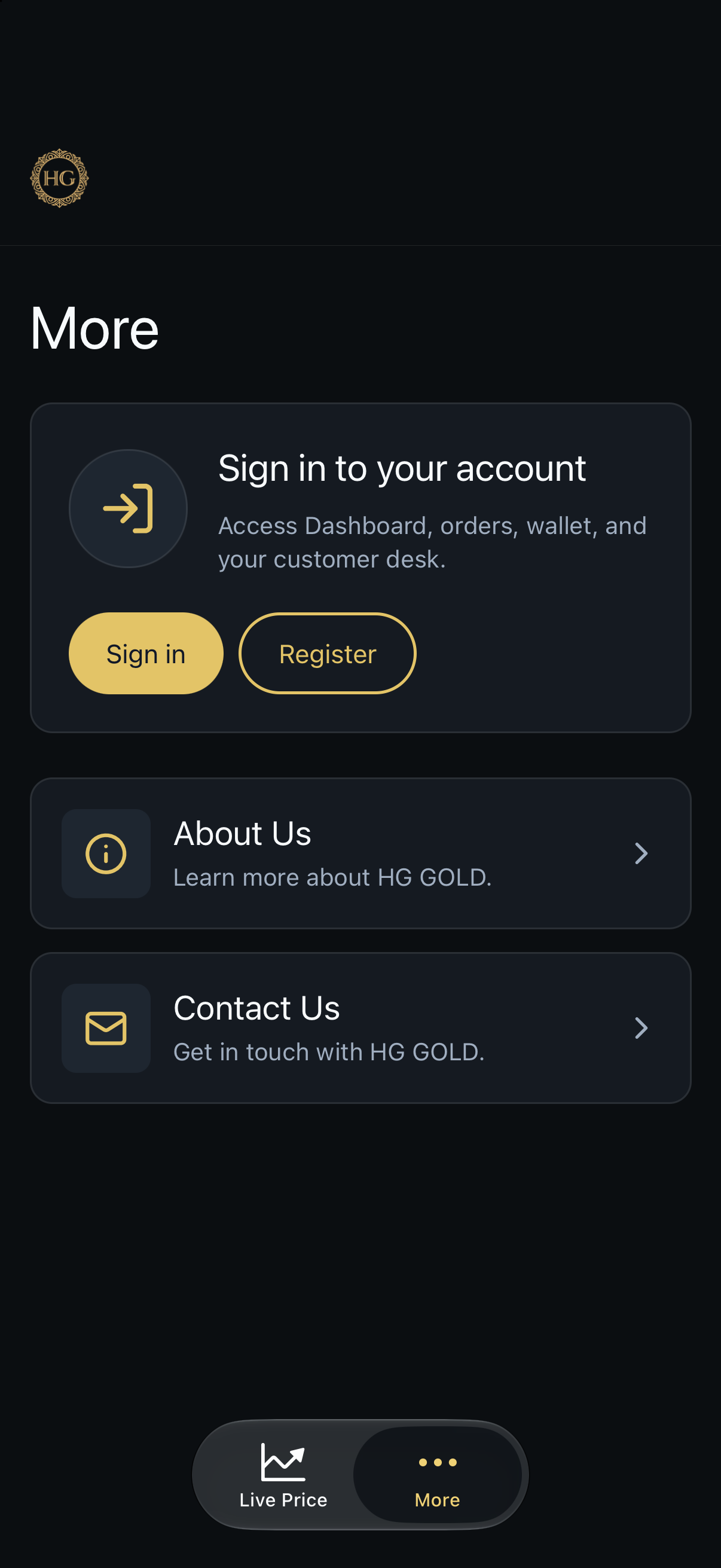
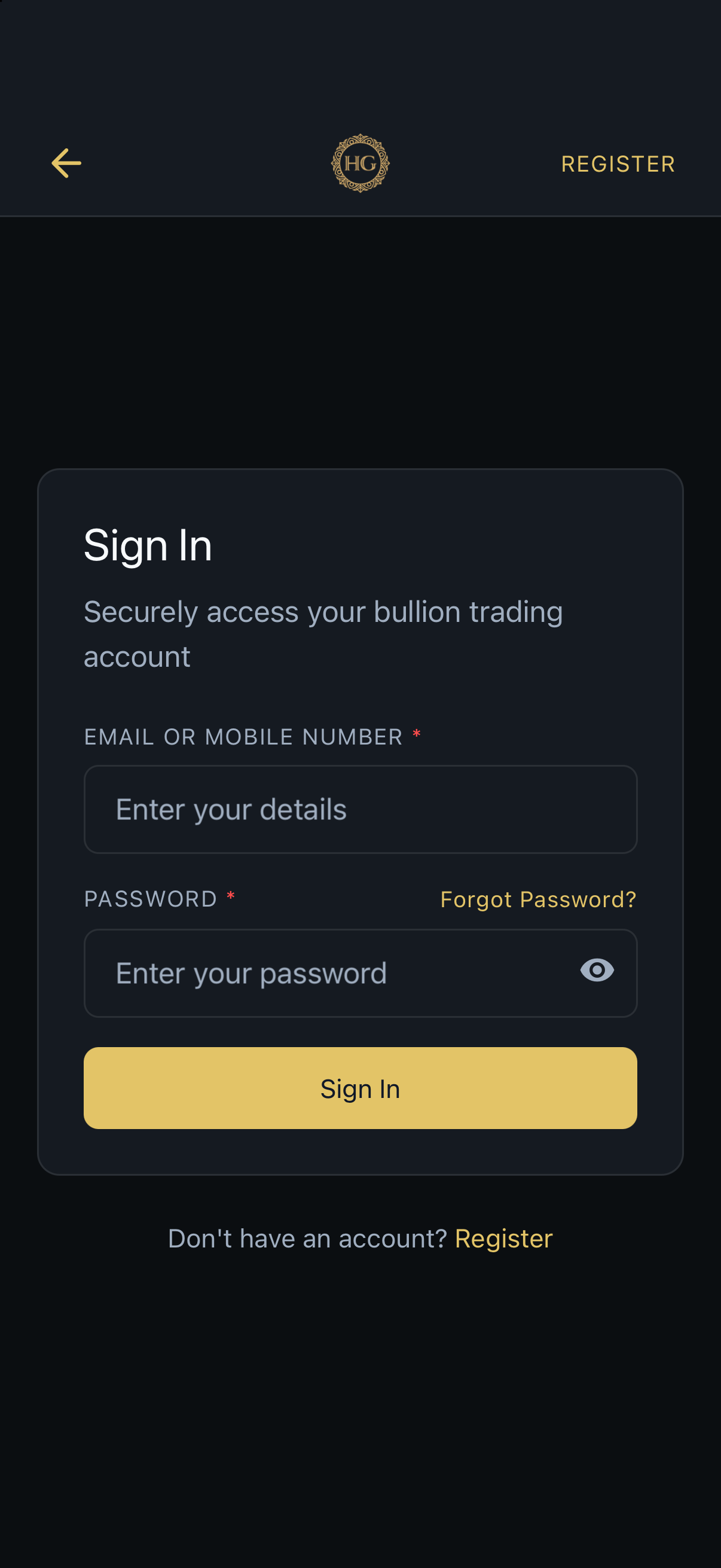
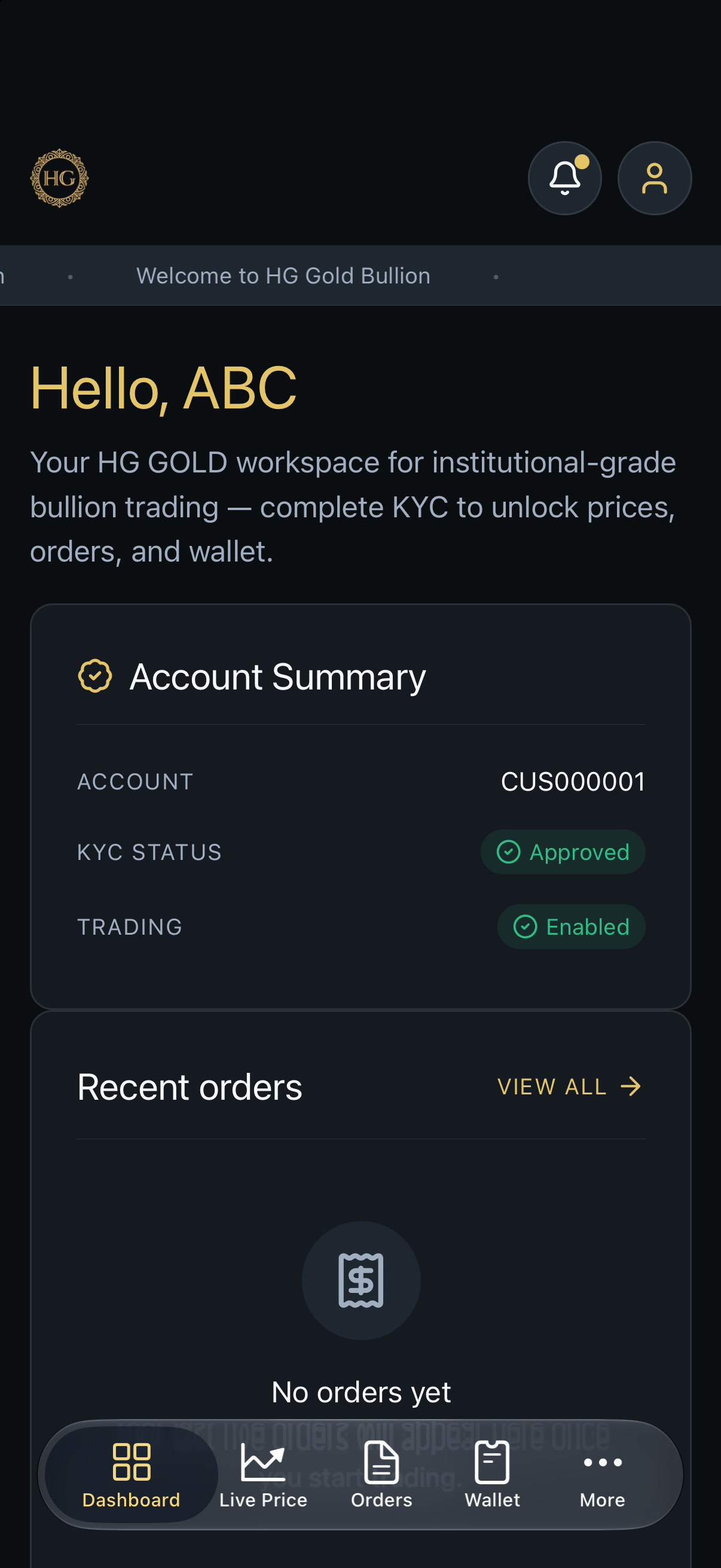
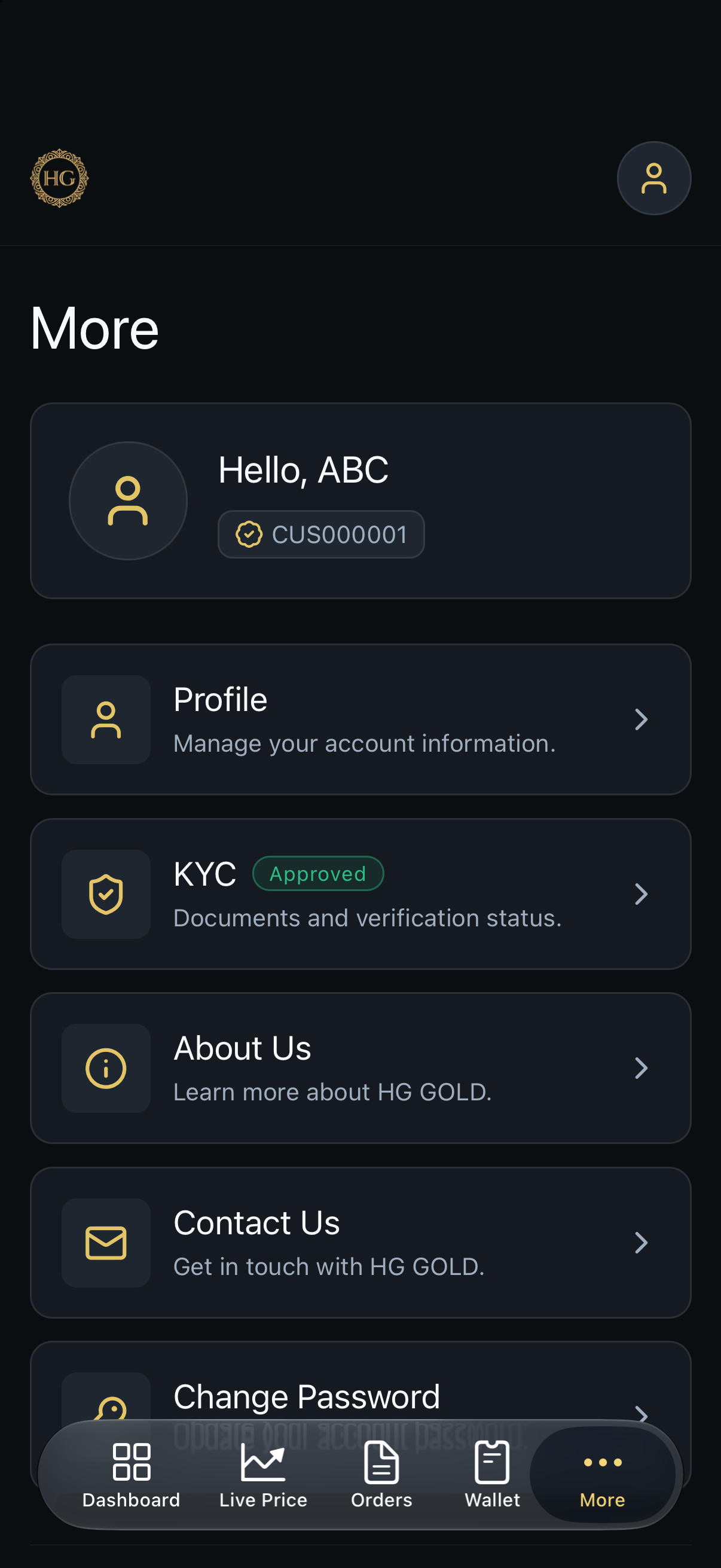
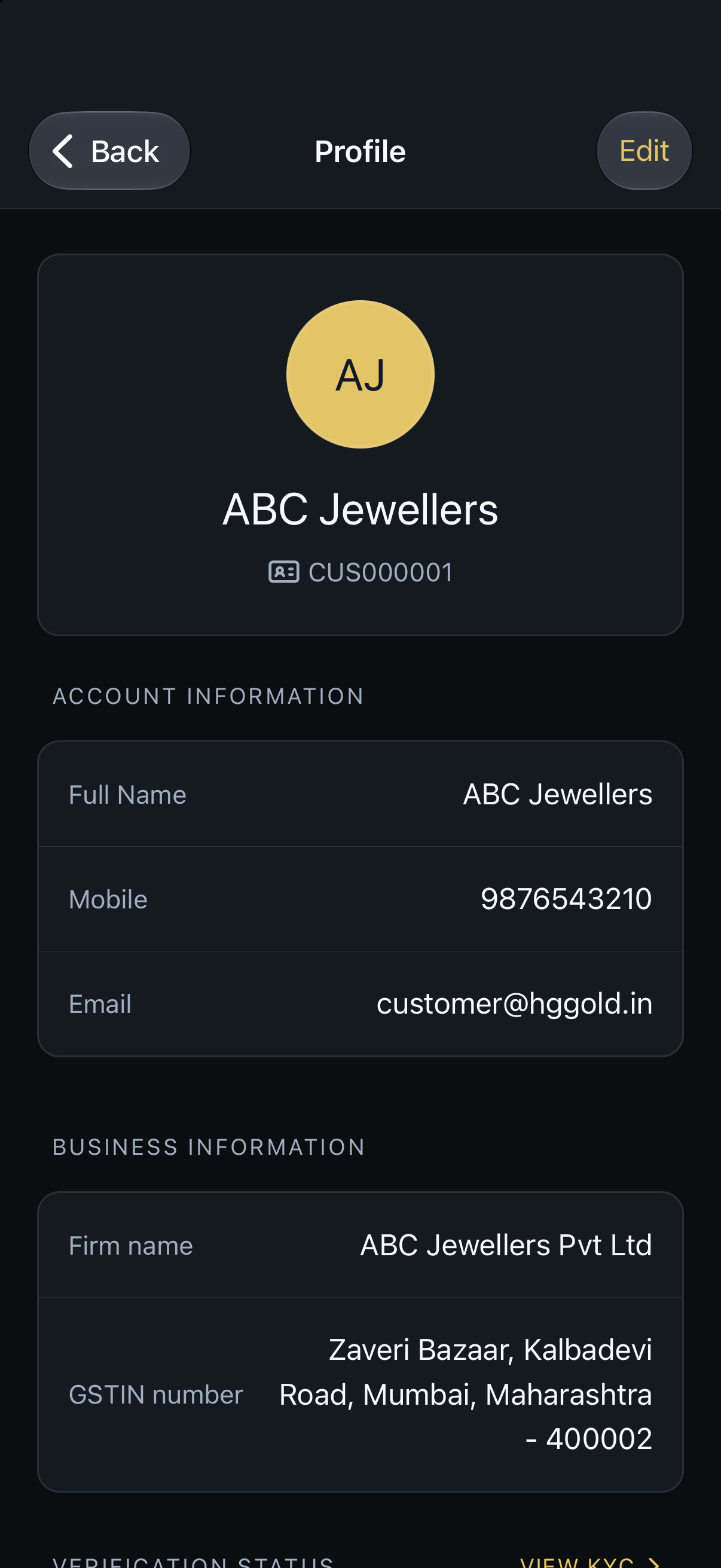
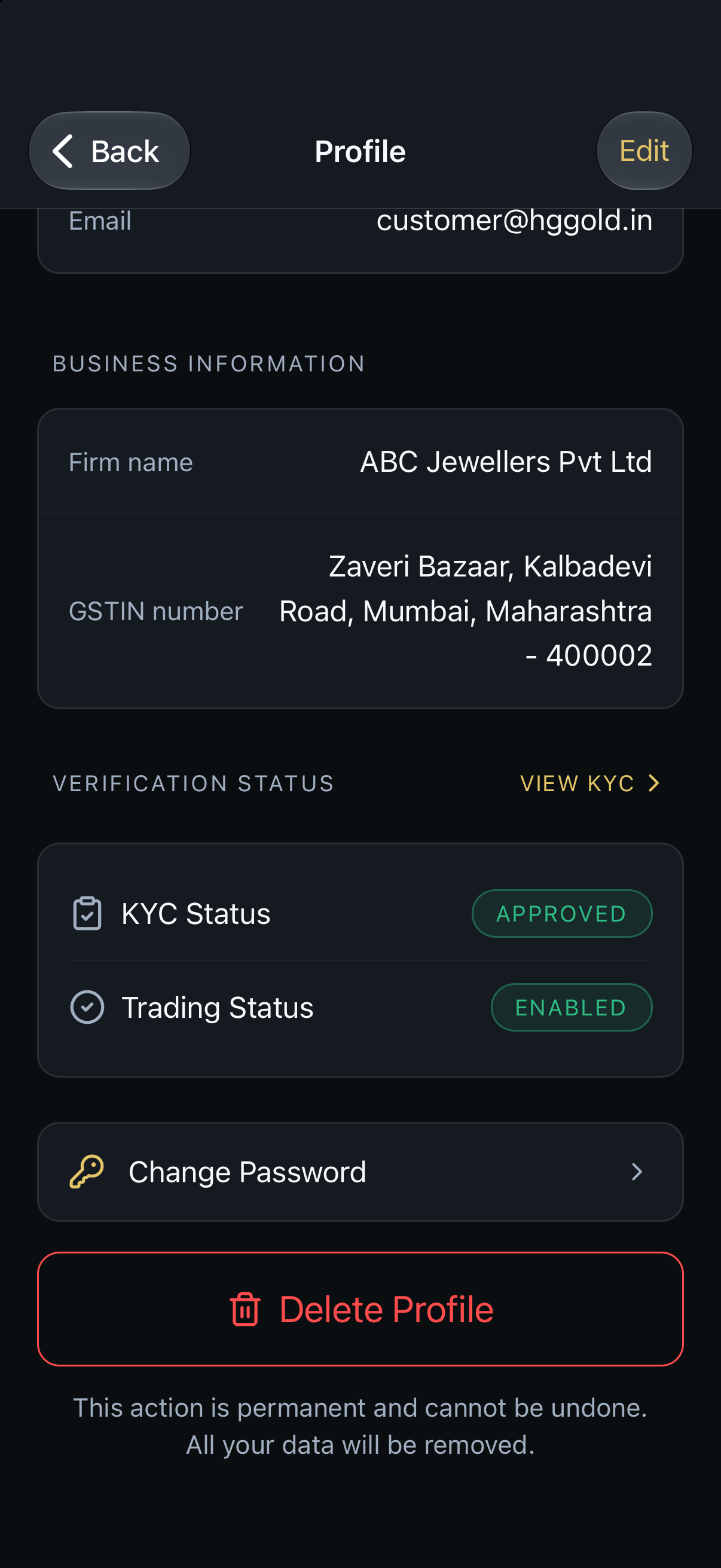
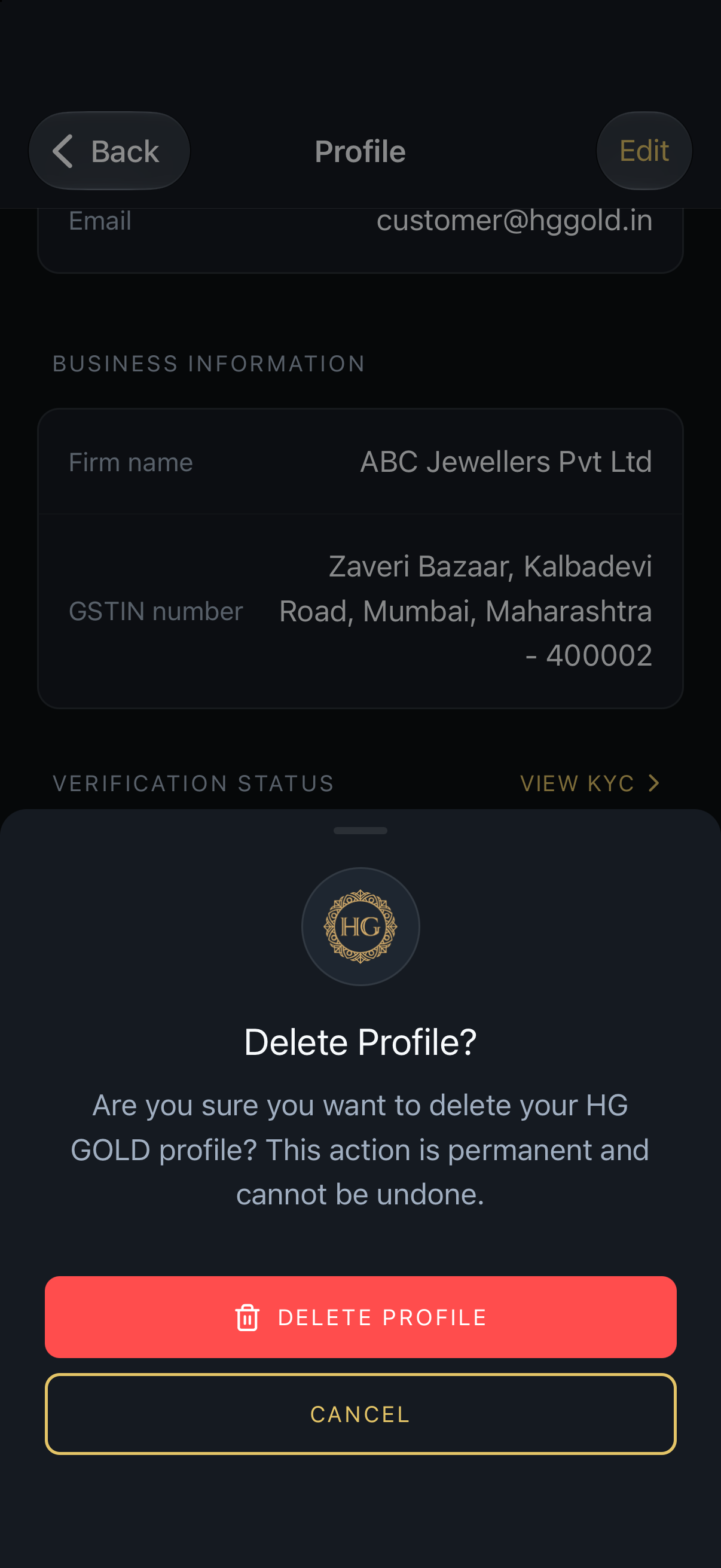
These screenshots show the steps to delete a profile in the Bulliance app, from sign-in through the confirmation screen.
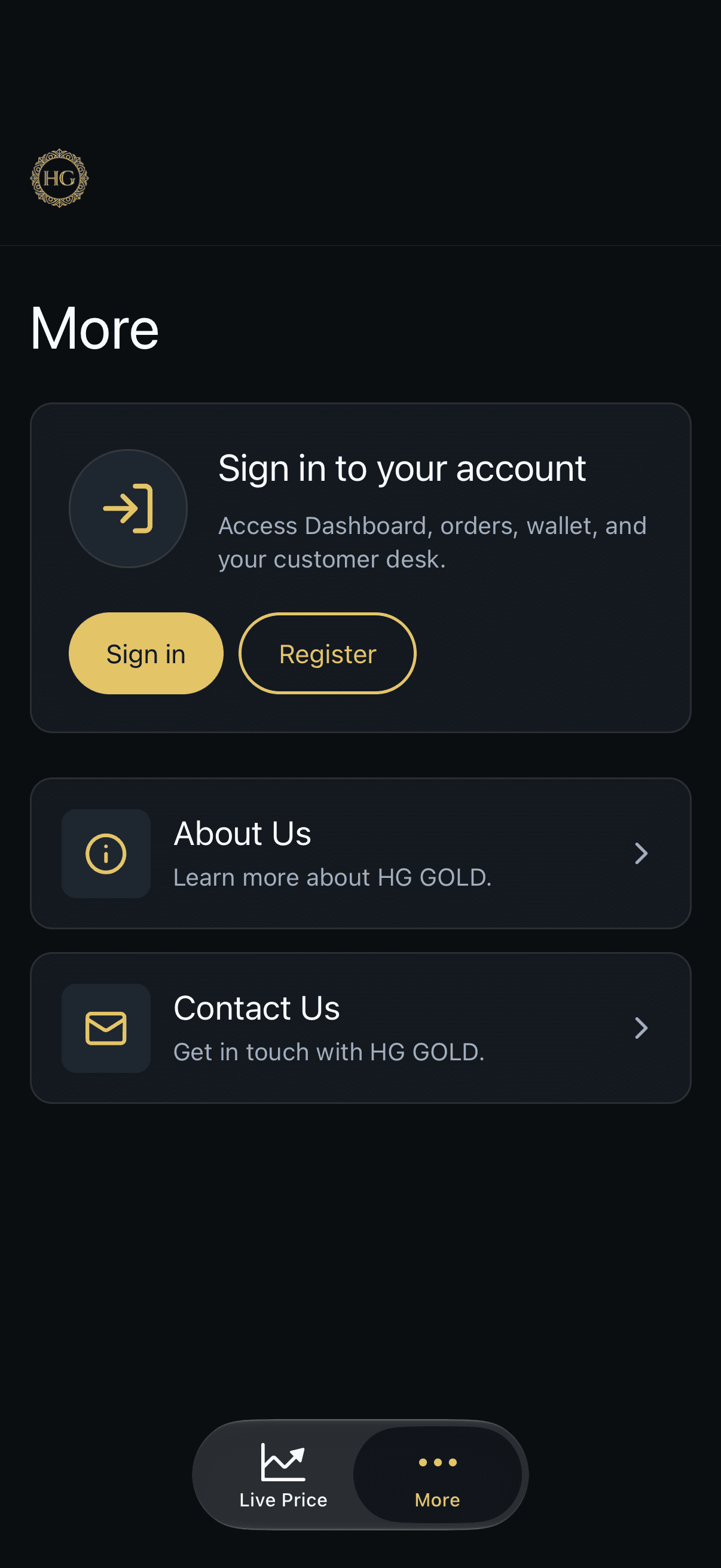
1. Open More, then choose Sign in. 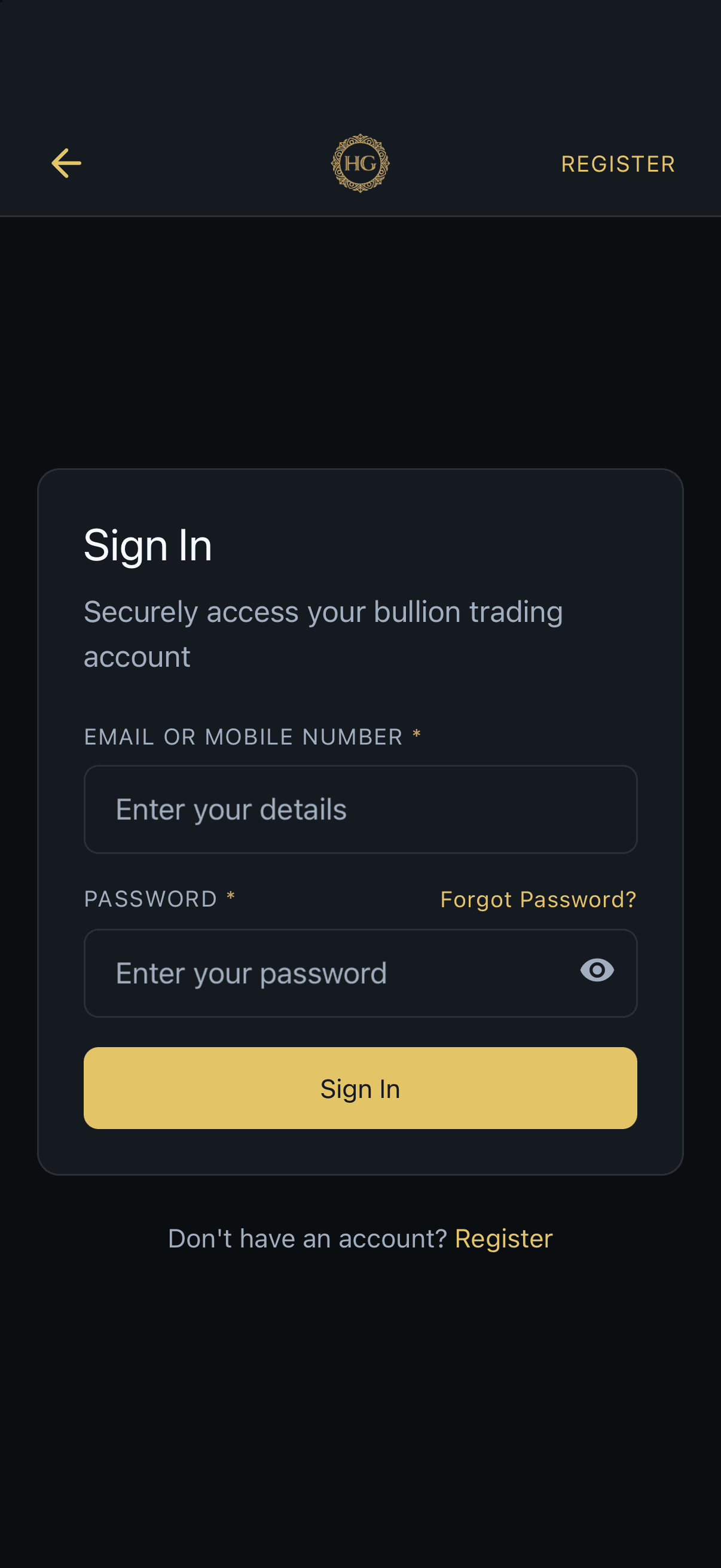
2. Sign in with your email or mobile number and password. 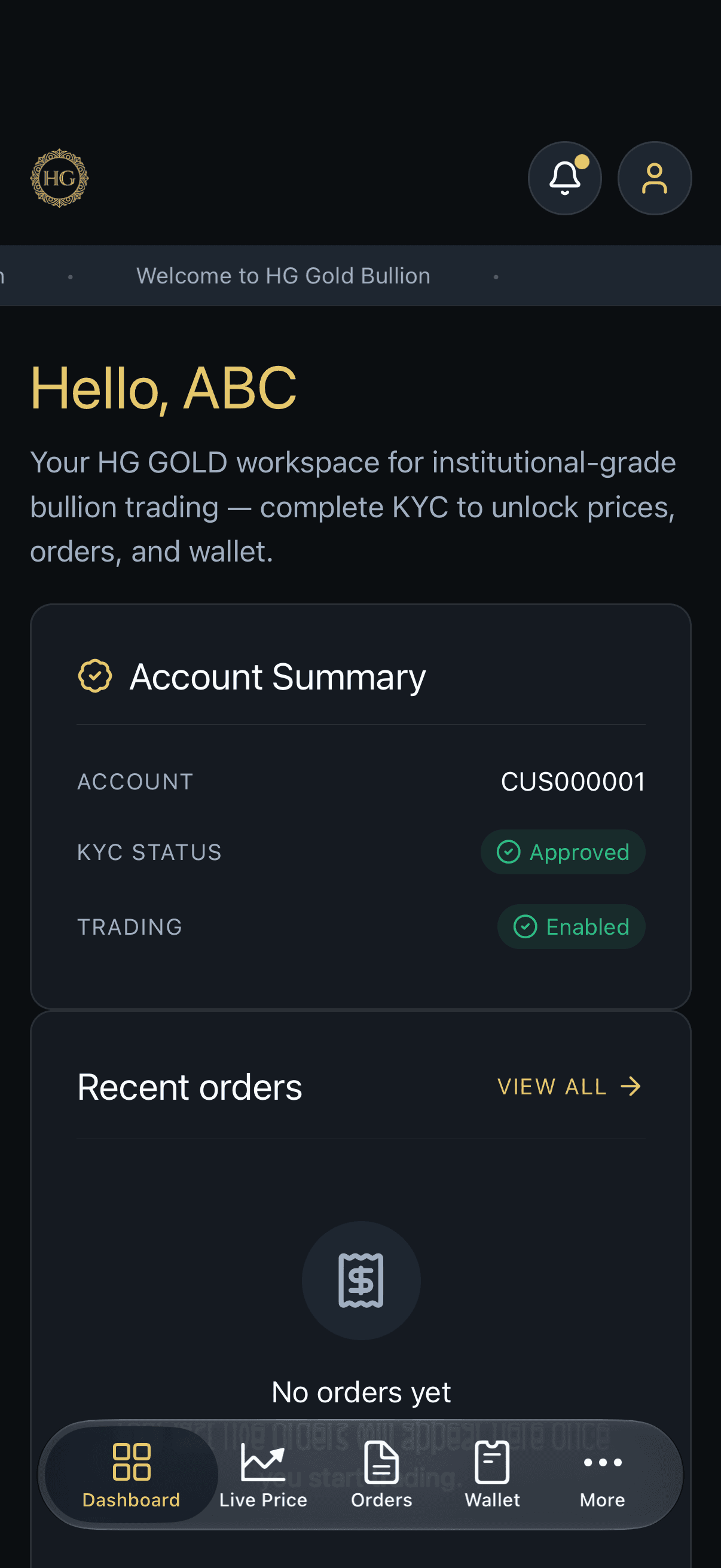
3. You land on the dashboard after signing in. 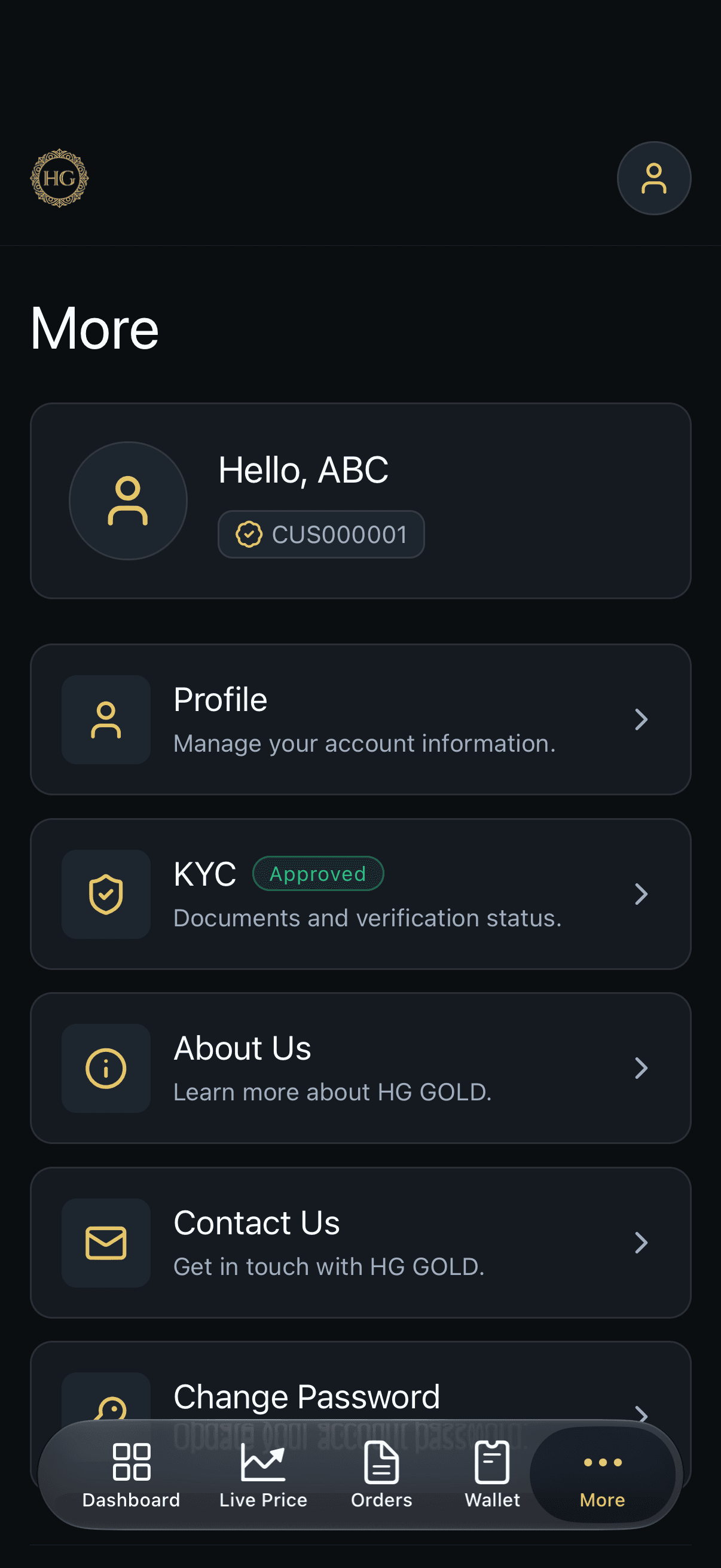
4. Open More again and select Profile. 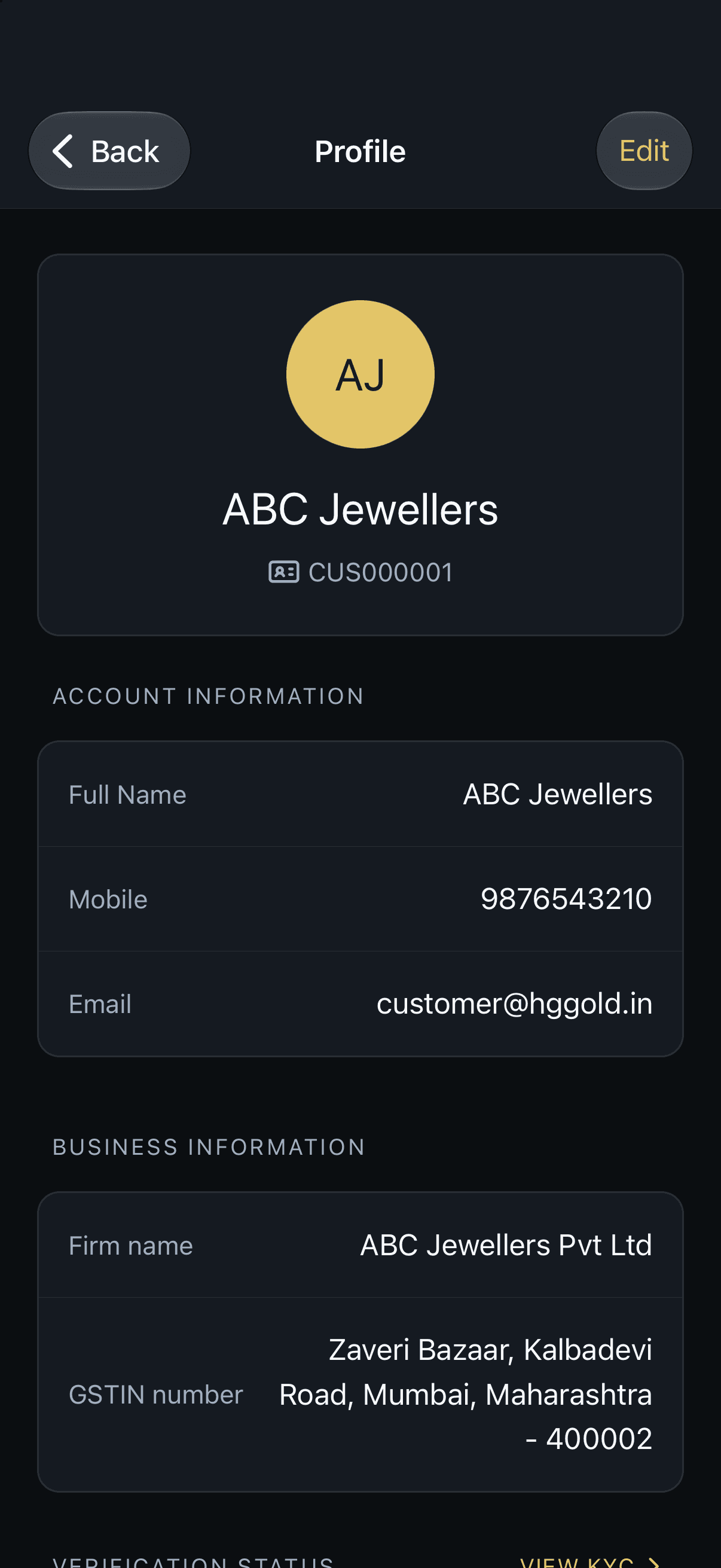
5. Review your profile details. 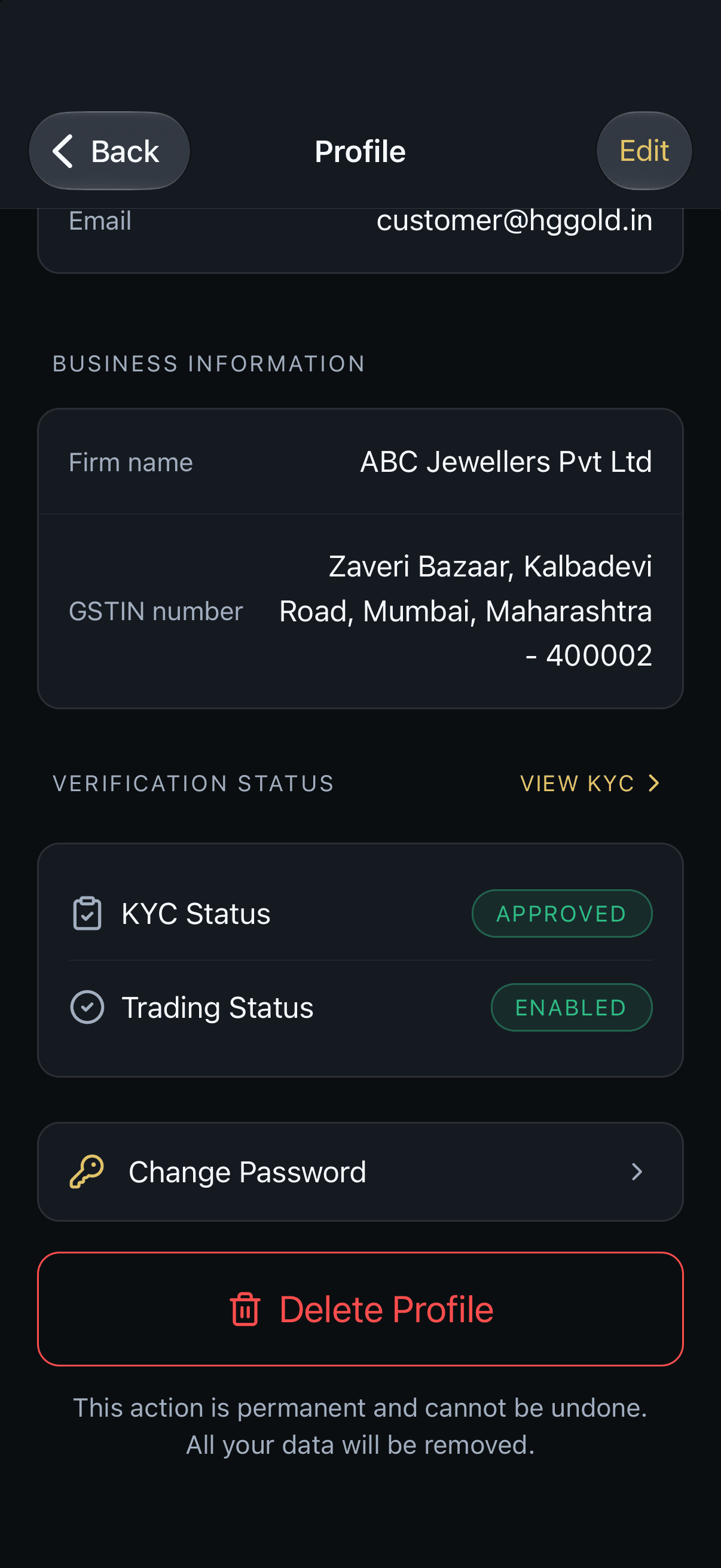
6. Scroll to Delete Profile. 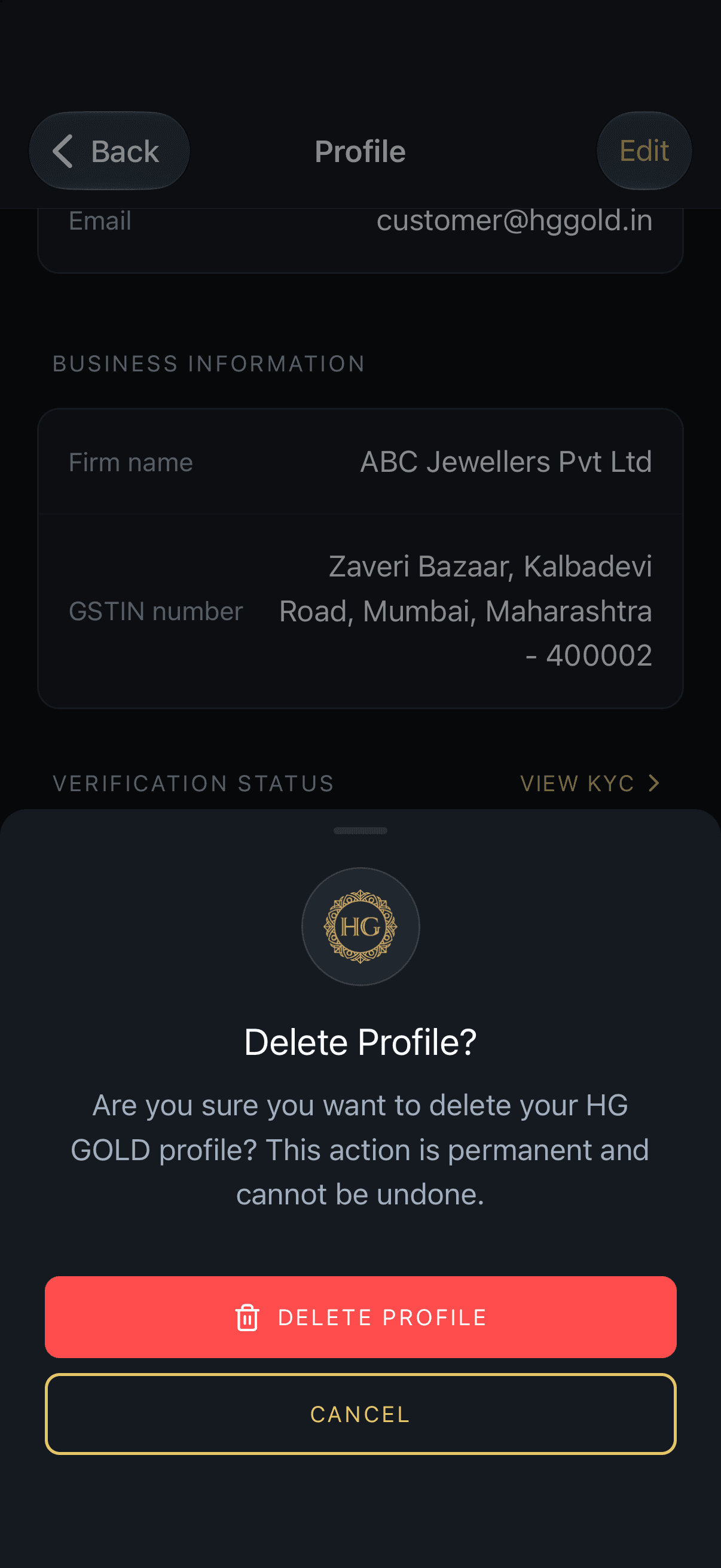
7. Confirm Delete Profile, or cancel to keep the account.
Contact us
If you have questions about this policy or need assistance with your HG GOLD account, please reach out through our support channels.
You may also use our Contact Us page to submit an inquiry.